Introduction: The Web, Our World, Our Home in the Digital World
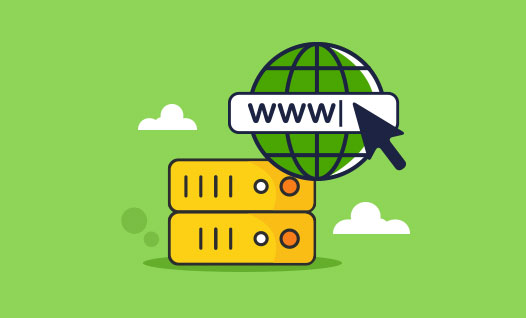
Hello, fellow digital world friends! Today we are going to take a journey to the beating heart of the Internet and get to know two basic concepts that are the backbone of any website: domain and hosting.
Imagine you want to open a shop or office. First of all, you need a specific and findable address, right? A place where your customers can find you. Then you need a physical space where you can set up your shop or office, where you can display your products and do your work. The Internet is exactly the same!
On the Internet, every business, every idea, every store or even every personal page needs two basic things:
1. A unique address where people can find you in the vast world of the web. This is the domain.
2. A storage space where all your information, photos, videos, and content are stored and always available. This is the host or web hosting.
In this article, we will introduce you to the world of domains and hosting in a very simple and familiar language, like a caring guide. It is supposed to be like we are building a house for our ideas in the world of the Internet step by step! So if you have ever heard of these two but don’t know exactly what they are, or if you want to know how to choose the best domain and hosting for yourself, this article will be your best friend on this journey. Let’s get started!
What is a domain? Your home address on the Internet!
Suppose the Internet is a very big city and each website is a house or shop in this city. So, how can we find our home in this big city? Or how can others find our home? The answer is simple: with an address!
A domain is exactly this address. For example, `google.com` or `divar.ir`. These are understandable and memorable names that replace complex numerical addresses called IP Addresses.
What is an IP address and why do we need a domain?
Computers around the world that store and transmit Internet information (servers) each have a unique numerical address, such as `172.217.160.142`. Imagine trying to remember the addresses of all the websites you visit every day with these numbers! It is impossible! This is where the magic of domains comes in.
When you type a website address into your browser (like `example.com`), a very important system called DNS (Domain Name System) comes into play. DNS acts like a giant, global phone book. It takes the domain name and translates it into its corresponding IP address. Your browser then knows which server on the Internet to connect to to get the information about the website you’re looking for. So, in essence, a domain is a user-friendly, easy-to-understand interface between us and the complex, digital world of the Internet.
Different parts of a domain address:
Each domain address is made up of several parts separated by periods:
The main part (domain name – Second-Level Domain or SLD): This is the part you choose and is the main identity of your website. For example, `google` in `google.com` or `divar` in `divar.ir`. Choosing this name is very important. It should be short, memorable, easy to pronounce and preferably related to the subject of your activity.
Domain extension (Top-Level Domain or TLD): This part comes after the period and indicates the higher level of the domain. The most famous and widely used extensions are:
`.com`: This extension stands for “Commercial” and is used for commercial and public purposes worldwide. It is the most popular extension in the world.
`.org`: Usually used for non-profit organizations, institutions and associations.
`.net`: Originally designed for companies active in the field of computer networks, but today it has found more general use.
`.ir`: This extension is specific to the country of Iran. If your main audience is in Iran, choosing a .ir domain can help your site be better visible in domestic searches and create a greater sense of trust for Iranian users.
Other extensions: Today, there are a wide variety of extensions such as `.co` (for companies), `.biz` (for businesses), `.info` (for information), `.shop` (for stores), and even new and more specialized extensions such as `.ai` (for artificial intelligence) or `.app` (for applications). Choosing the right extension should be done carefully and based on the purpose and audience of your website.
How to choose the best domain name? (Slang and practical tricks):
1. Keep it short and concise: The shorter the domain name, the easier it is to type and remember.
2. Memorable and easy to pronounce: Choose a name that someone can easily remember and spell correctly when they hear it. Avoid complicated words or difficult spellings.
3. Be relevant to your field of activity: If you have a clothing store, choose a name related to fashion and clothing. If you have a cooking blog, choose a name related to food and cooking. This will help users and search engines understand the topic of the site more quickly.
4. Use less numbers and hyphens: Using too many numbers (unless they are part of your brand) and hyphens (`-`) can confuse users. They may forget where to put the hyphen or write the number as a letter.
5. Do your research and choose wisely: Before you finalize your registration, be sure to check the availability of your desired domain name with different extensions. Also, see if there is a similar name for another brand or product that could cause confusion.
6. Be future-proof: Choose a name that will remain relevant and relevant as your business grows and expands in the future.
Buying and registering a domain:
Registering a domain is not a complicated task and is like registering a property deed. You need to visit a domain registrar, search for the domain name you want, and if it is free, register it for yourself. This registration is usually for a specific period of time (for example, one year) and must be renewed after its expiration to maintain your ownership.
3. What is hosting? The physical home of your site on the Internet!
So, so far we have become familiar with the address of our home on the Internet, the domain. Now let’s see where this home is going to be built and what facilities it needs. This is where hosting or web hosting comes in.
What does hosting or web hosting mean?
Very simply, hosting is a space on powerful computer servers that are connected to the Internet 24/7 and stay on. All of your website files—all the text, images, videos, programming code, databases, and everything else that makes up your website—are stored in this server storage space.
When you build a website (whether using a content management system like WordPress or by writing your own code), all of this information needs to be stored somewhere so that anyone anywhere in the world can access it and view your site content by entering your domain address. Hosting servers play exactly that role; they’re like employees always ready to load and display your files whenever a user requests them.
Why do we need a host?
Without a host, your website would have no place to live! It’s like having a great address but no home for it. Your site files need to be on a server that is always on and connected to the internet so that users can access it at any time. Hosting servers take care of this task and usually work with high speed and great stability.
Different types of hosting (like different types of houses with different features!):
Choosing a hosting type depends on your needs, budget, and the amount of traffic to your site. There are different types of hosting, each with its own features and uses:
1. Shared Hosting:
Explanation: This is the most economical and common type of hosting to start with. Imagine you share a large apartment with a lot of other neighbors (other websites). Each of you has a unit (your own site space), but the general building resources such as electricity, water, elevators (i.e. server processing power, bandwidth, RAM) are shared between everyone.
Pros: Cheapest option, easy to set up and manage, suitable for beginners.
Cons: If one of the neighbors is making a lot of noise (i.e. another site on the same server has very high traffic or uses a lot of resources), it may negatively affect the speed and performance of your site. You have less control over the server settings.
Good for: Personal blogs, small corporate sites, low-traffic news sites, student projects, and anyone just starting out and on a budget.
2. WordPress Hosting:
Description: This type of hosting is a bit more specialized. Think of it as an apartment built specifically for residents of a specific culture (in this case, WordPress users), and all its features are optimized for their comfort and best performance.
Features: These hosts usually come with specific settings and optimizations for the WordPress content management system. They may include pre-installed security, speed, and backup plugins, and their technical support usually has a better understanding of WordPress issues.
Best for: Anyone using WordPress to build their website, from beginners to professionals.
3. Virtual Private Server (VPS):
Explanation: This type of hosting is like having a private villa in a large town. You are still on a large plot of land (physical server), but you have complete control over a certain part of the resources (such as a dedicated piece of land and specific boundaries). This means that the server resources are divided between you and others, but they are virtually separated. You have more control over your own space and are less affected by neighbors.
Advantages: More dedicated resources (processing power, RAM), higher security, more control over server settings and the ability to install custom software.
Disadvantages: It costs more than shared hosting and usually requires more technical knowledge to manage and maintain (although some companies offer simpler management panels for VPS).
Suitable for: Medium to high traffic sites, active online stores, web applications, and those who need more control over their hosting environment.
4. Dedicated Server:
Description: This is the ultimate in features and independence! It’s like having an entire palace or large building to yourself. You rent an entire physical server and all of its resources (processing power, memory, disk space, bandwidth) are yours alone. There are no neighbors or other intruders.
Pros: Highest level of performance, speed, security, and complete control over all aspects of the server.
Cons: Very expensive and requires a lot of expertise in server management, networks, and security.
Suitable for: Very large, high-traffic sites, large companies with specific security and performance needs, critical, high-use applications that require dedicated resources and complete control.
Key considerations when choosing a host:
Disk Space: How much space do you need for your site files? SSD or NVMe hard drives are much faster than traditional hard drives (HDDs) these days, and using them can dramatically increase your site’s speed.
Bandwidth: This is the amount of data that moves between your site and visitors in a given period of time (usually monthly). If your site has a lot of visitors or has large files (like video), you’ll need more bandwidth. Many companies offer “unlimited bandwidth” plans, but they usually have fair limits.
Uptime: This is the most important metric! Uptime is the percentage of time your server is up and available. Always look for an uptime guarantee of at least 99.9%. This means your site shouldn’t be down for more than a few minutes a month.
Technical Support: How quickly and well do they help you when you have a problem? Do they have 24/7 support? Do they also speak Persian? Good support can be a lifesaver.
Control Panel: This is the tool through which you manage your hosting: upload files, create emails, manage databases, and so on. The most popular and user-friendly panels are `cPanel` and `DirectAdmin`.
Security: Does your hosting have security features like firewalls, anti-malware, and regular backups? Do they offer free SSL certificates?
Connecting a domain to a host: How do we connect the address and the home?
So, now you have a great address (domain) and a well-equipped home (host). But how do these two work together so that when someone searches for your address, they see your home? This is where the step of connecting the two becomes important.
This process, which can sometimes seem a little confusing, actually establishes a simple but vital connection.
What is the role of DNS in this connection?
As we mentioned in the domain section, the Domain Name System, or DNS, acts as the Internet’s phone book. When you type `example.com` into your browser, DNS quickly translates this name into the IP address of the server your host is on. This IP address is the exact “coordinates” of your home in the big city of the Internet.
Nameservers; the key to the connection!
Every reputable hosting company has a set of special addresses called Nameservers. These are basically addresses that tell the DNS system: “Whenever someone searches for my domain address, direct them to this server or this set of servers.”
Steps to connect your domain and hosting:
1. Get Nameservers: After purchasing hosting (whether from the same company you bought the domain from or from another company), the hosting company will give you two or more nameservers (which usually look like `ns1.yourhostprovider.com` and `ns2.yourhostprovider.com`).
2. Log in to the domain management panel: You need to log in to the control panel where you registered your domain (this panel may be different from the hosting panel).
3. Set Nameservers: In the DNS or Nameservers settings section, you need to enter the nameservers you received from the hosting company and save the changes.
4. Wait for propagation: After saving, this information must be propagated throughout the global DNS network. This process, called DNS Propagation, can take anywhere from a few minutes to 48 hours (usually takes place within the first few hours). Be patient!
Once this process is complete, anyone who enters your domain address will be automatically redirected to your hosting server and your website will be displayed to them.
Important points and final conclusion of domain and hosting for a strong start
Choosing the right domain and hosting is the first and perhaps most important step to your successful presence in the online world. Given the above explanations, let’s review a few key points:
To start: If you are just starting out in the web world, shared hosting or WordPress hosting are great, economical and user-friendly options.
Choosing a domain: Be creative! Choose a name that is both memorable and representative of your brand and activity. The `.com` extension is global and `.ir` is for domestic audiences.
The importance of speed and stability: Always pay attention to criteria such as high uptime (99.9%) and the use of fast technologies such as SSD.
Security is a priority: Make sure your host has proper security features and be sure to use an SSL certificate to secure your site’s communication (many hosts offer this for free).
Good support is your friend: When you have a problem, having a responsive and expert technical support can be crucial.
Domain and hosting are like the two wings of a beautiful bird flying in the world of the Internet. By choosing wisely and understanding these concepts correctly, you will build the foundation for a successful online presence. We hope this simple and comprehensive guide has helped you step on this path with more confidence. Good luck!







Leave a Reply